Local service
maintainer service run gives your development on GitHub one place on your
computer: a hub at http://maintainer.localhost:17841/ with every checkout of
the collection that maintainer fetch and
maintainer status know about, and every issue those
repositories mirror from GitHub in .github/issues and .github/roadmap, with
their milestones and project-board sections, across all your owners. Instead
of opening repositories one by one, you see in three pages where local work
waits, which issues matter most and where each one stands, with a link to
GitHub when the mirror has one. The tool that keeps the mirror holds those
files in step with GitHub; the hub itself never reads from or writes to
GitHub. It needs no token or network access, runs as your user and listens
only on loopback: .localhost names resolve to your own computer, so there is nothing
to set up and no administrator step.
| Page | What it shows |
|---|---|
/status | The checkouts of maintainer status in the browser, grouped by their state: branch, uncommitted changes, divergence, push lock and path per checkout, with the same ordering and search |
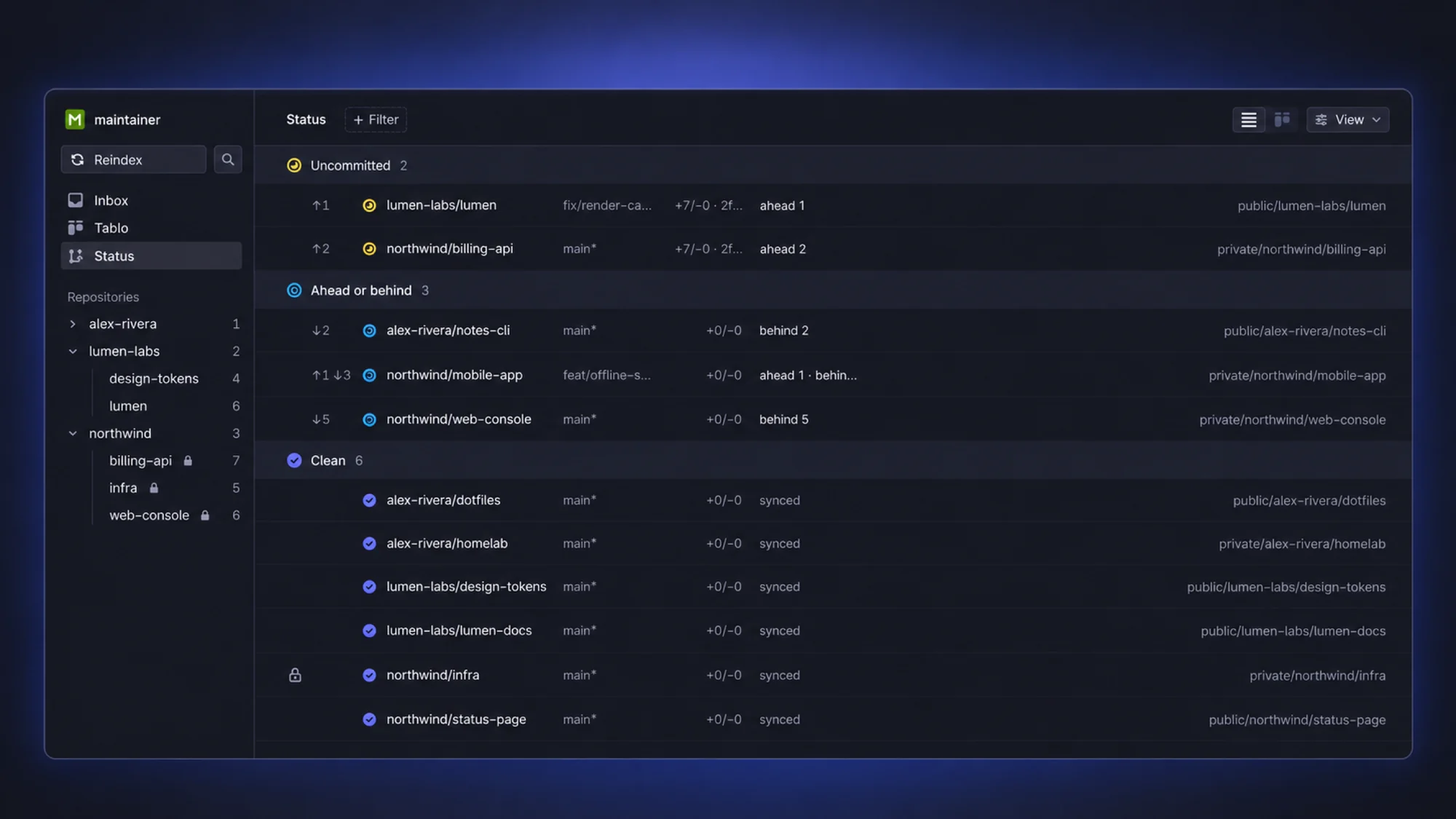
/inbox | Every mirrored issue in one list with the open issue beside it, filters, a score and the impact and effort labels you set in place as its priority and estimate |
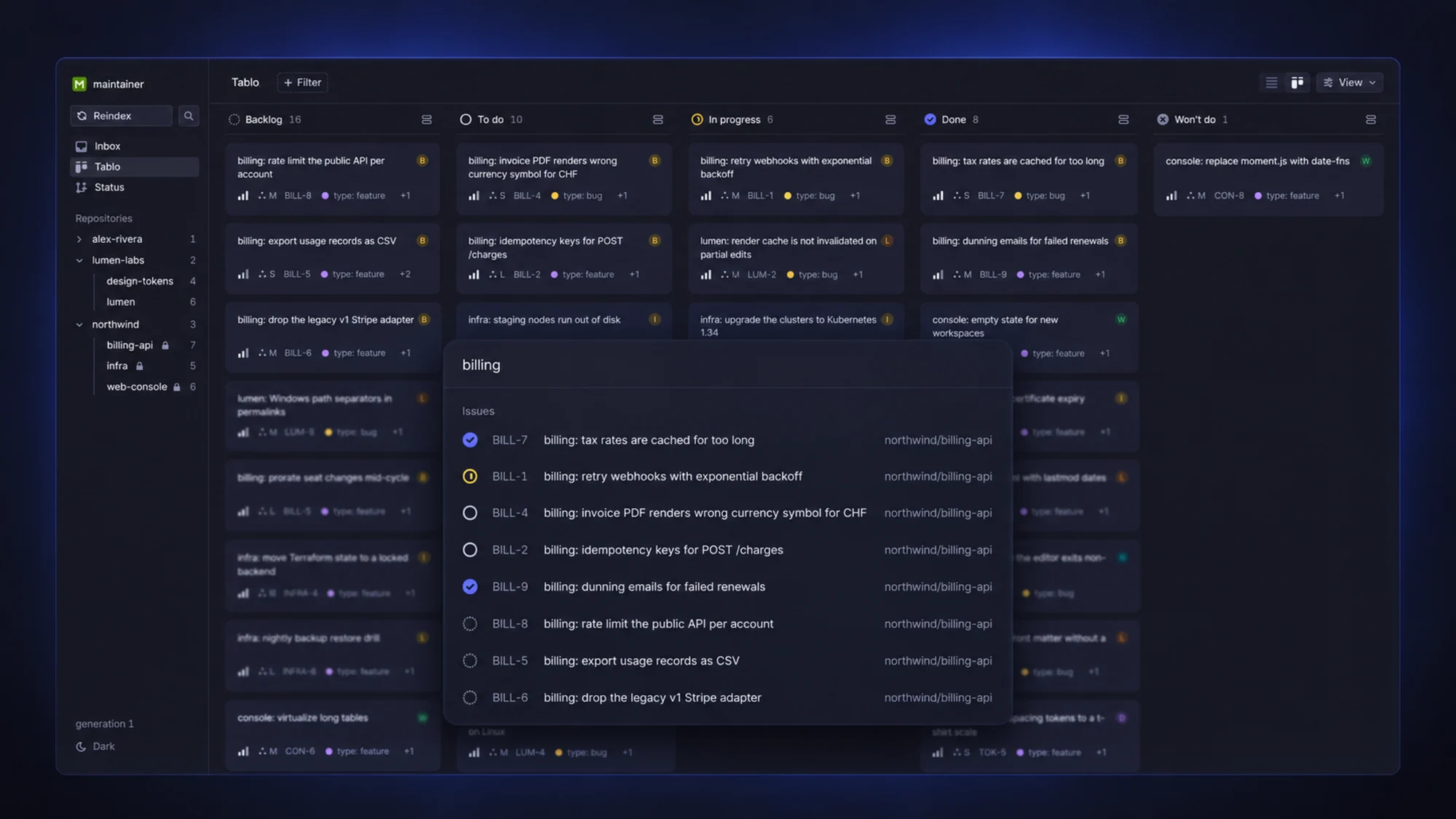
/tablo | The same issues on one board with the columns Backlog, To do, In progress, Done and Won’t do |
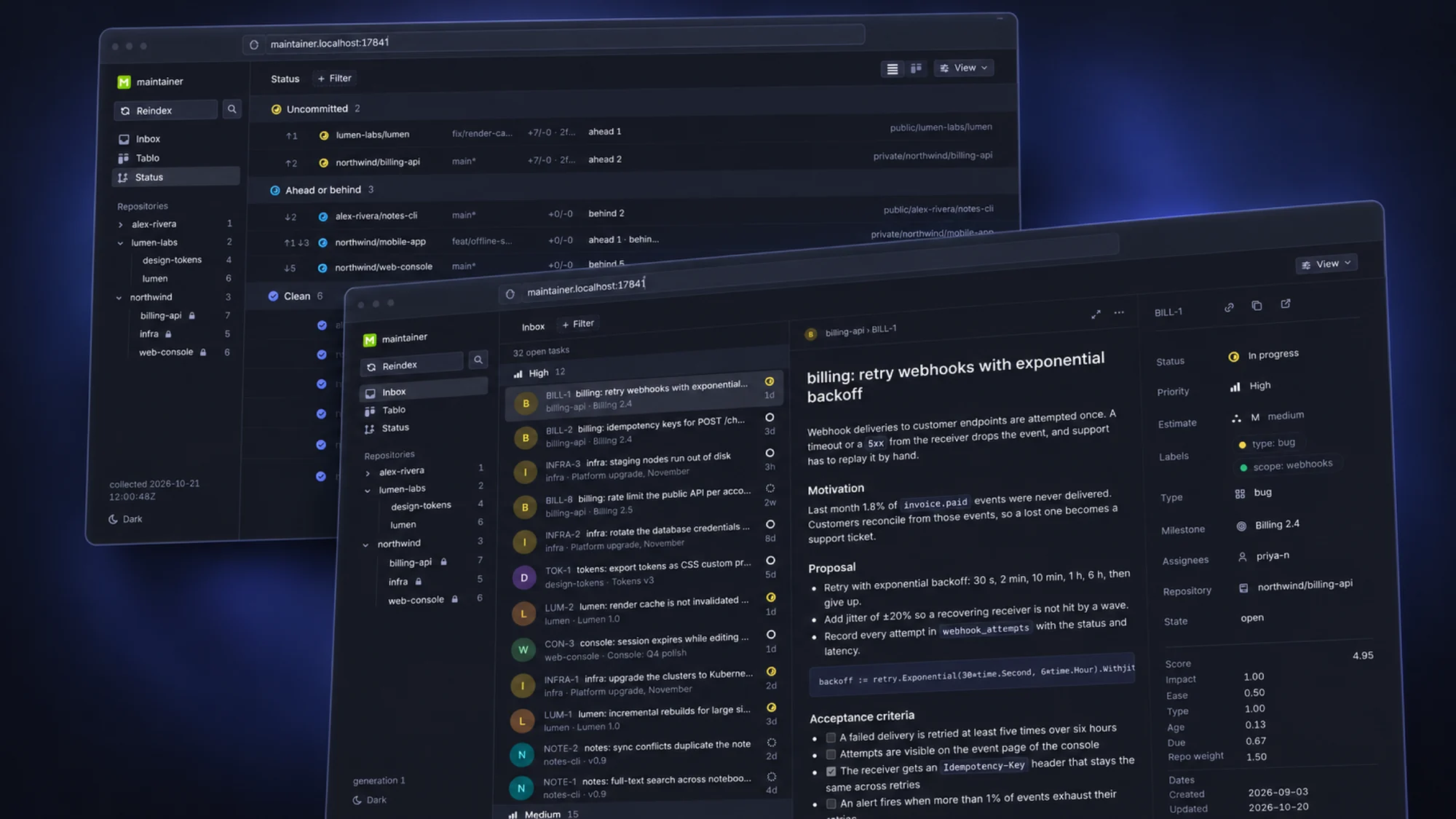
Illustrations of the hub on demo data.
Install and start
On macOS, the Homebrew Formula octolab/tap/maintainer installs the CLI and
the service definition; the service is the same binary as the CLI and
upgrades with it.
brew install --formula octolab/tap/maintainer
brew services start octolab/tap/maintainer
curl -fsS http://maintainer.localhost:17841/status -o /dev/null -w '%{http_code}\n'200Open http://maintainer.localhost:17841/ in a browser: it opens the status
page. The service runs as your user and logs to
$(brew --prefix)/var/log/maintainer.log. Installing the Formula does not
start it. Do not run sudo brew services.
Move from the Cask
If you installed the Cask, switch to the Formula once:
brew uninstall --cask maintainer && brew install --formula octolab/tap/maintainerYour fetch configuration and state stay where they are.
Upgrade, stop and remove
brew update
brew upgrade --formula octolab/tap/maintainer
brew services restart octolab/tap/maintainer
brew services stop octolab/tap/maintainer
brew uninstall --formula octolab/tap/maintainer
Run it yourself
Without Homebrew, run the service in a terminal:
maintainer service runmaintainer service: 127.0.0.1:17841, [::1]:17841 (URL: http://maintainer.localhost:17841/)
maintainer service: fetch config /Users/you/.config/maintainer/fetch.tomlmaintainer.localhost resolves to both 127.0.0.1 and ::1, so the service
listens on both. If the system has no IPv6 loopback, the service says so,
skips [::1]:17841 and keeps running on 127.0.0.1:17841. --listen
replaces both addresses; repeat it for several:
maintainer service run --listen 127.0.0.1:8080
maintainer service run --listen 127.0.0.1:8080 --listen '[::1]:8080'
Each value is a literal loopback IP address with a port, such as
127.0.0.1:17841 or [::1]:17841; localhost, 0.0.0.0 or another address
is refused with exit code 2. An address given with --listen that cannot be
bound, as when its port is taken, stops the service with an error. Ctrl-C or
SIGTERM stops it once the responses in flight are sent.
brew services runs the service without flags. To move it to another port
there, set listen in service.toml and restart it with
brew services restart octolab/tap/maintainer; the same rules apply, and
--listen replaces listen when you run the service yourself:
listen = ["127.0.0.1:8080", "[::1]:8080"]Browsers and curl resolve .localhost names themselves; on Linux, a system
without such a resolver reaches the service at http://127.0.0.1:17841/.
What the pages read
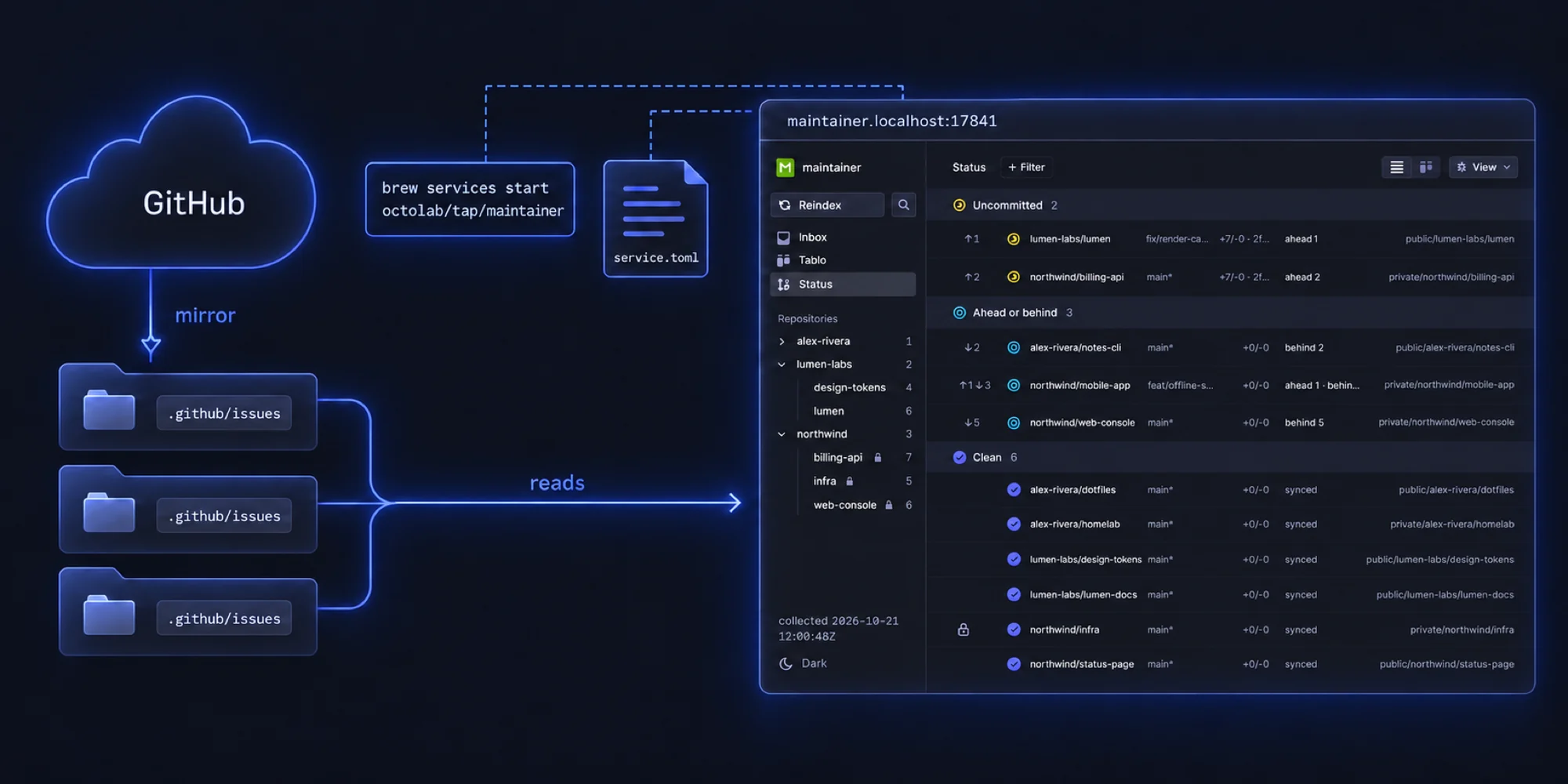
The service reads your fetch configuration and state the way
maintainer status does, with your home directory as the working directory,
and finds the checkouts of the workspace, the pins included.
Every checkout that has a .github/issues or .github/roadmap directory is an
issue mirror: the service reads the issue files, the milestones and the
boards into an index when it starts, and again when you press Reindex in
the sidebar; a label you set from a page is in the index at once. A file it
cannot read is reported on the page and keeps its last good version. The pages
open in the dark theme; the theme item at the bottom of the sidebar switches
to light or to your system’s setting.
The sidebar also lists every repository whose issues the hub reads, as a tree
by owner: an owner expands to its repositories, each with its count of open
issues and a lock when it is private, and a link to its issues in the inbox.
The owners you expand are remembered, and the repository the inbox shows is
highlighted. Its search
button, or / or Ctrl+K (Cmd+K on a Mac), opens a search over every issue of
the collection; the issue you pick opens as a full page, as does an issue you
open from the board or expand from the inbox. The page’s address carries the
issue, so a link or a reload opens it again; Back or Escape returns to
the list. Filter (or the F key) narrows the inbox and the board by state,
text, priority, estimate, labels, type, milestone, repository, owner or
assignee; the inbox also filters by status. View groups the inbox by status, priority, estimate,
repository, owner, milestone or type; a group’s count covers every issue of
the selection, and Load more fills the groups. On the board, View
orders the cards of every column
by score, priority, or the updated or created date (by default the open
columns by score and Done and Won’t do by the last update), hides the empty
columns and chooses what a card shows.
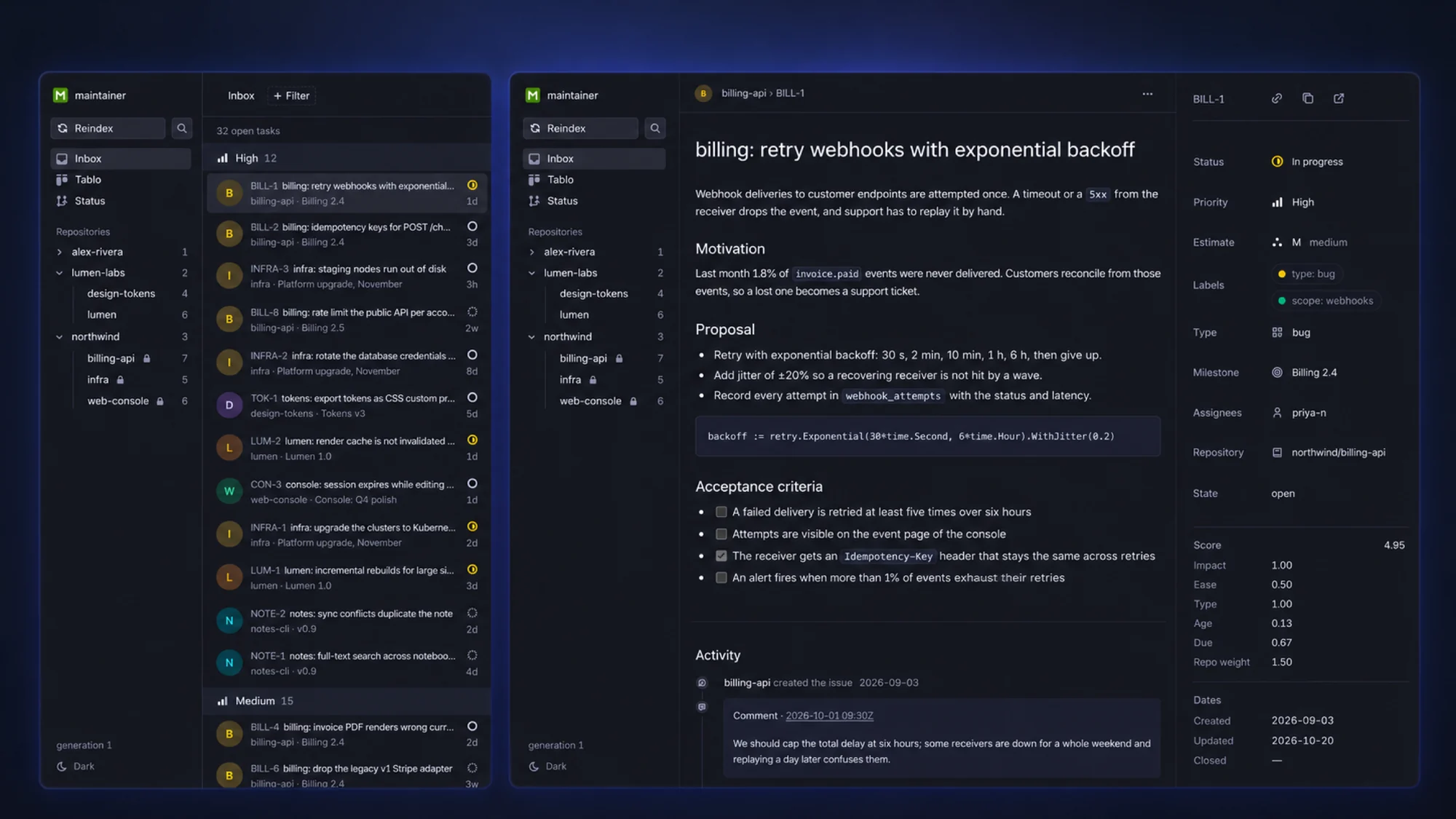
The status page collects the Git state of the checkouts on its first visit and on Refresh in its View menu, which also shows the summary of the collection and the time of the snapshot. Ordering and searching never run Git again: View groups the checkouts by state or by owner, sets the ordering, Shift-click adding a column to it, and chooses the columns of the list (branch, changes, status, path), which line up from row to row; Filter searches the checkouts by repository, branch and path, and the list/board switch shows the groups as board columns.
An issue goes to a board column by its state: a closed issue is in Done, or in Won’t do when it was closed as not planned or as a duplicate; an open issue is in the column of the board section that lists it, when the section is called To do, In progress or Backlog, and in Backlog otherwise. An open issue that two boards place differently stays in Backlog with a marker; an open issue that a board lists under Done or Won’t do gets a contradiction marker, and another board’s open section can still decide its column.
Triage and the score
The inbox and the board let you set two labels on an issue, impact: high,
medium or low and effort: easy, medium or hard: the issue shows
impact as its Priority (High, Medium, Low) and effort as its
Estimate (S, M, L), and picking another value in either menu sets the
label, or removes it with No priority or No estimate. The service changes
only those label lines in the issue file, keeps everything else byte for
byte, and refuses the change when the file changed since the page read it:
reload the issue and set the label again. Pushing the labels to GitHub stays
with the tooling that maintains the mirror. Do not run that tooling’s export
or push, or another editor of the issue files, while you triage in the
browser.
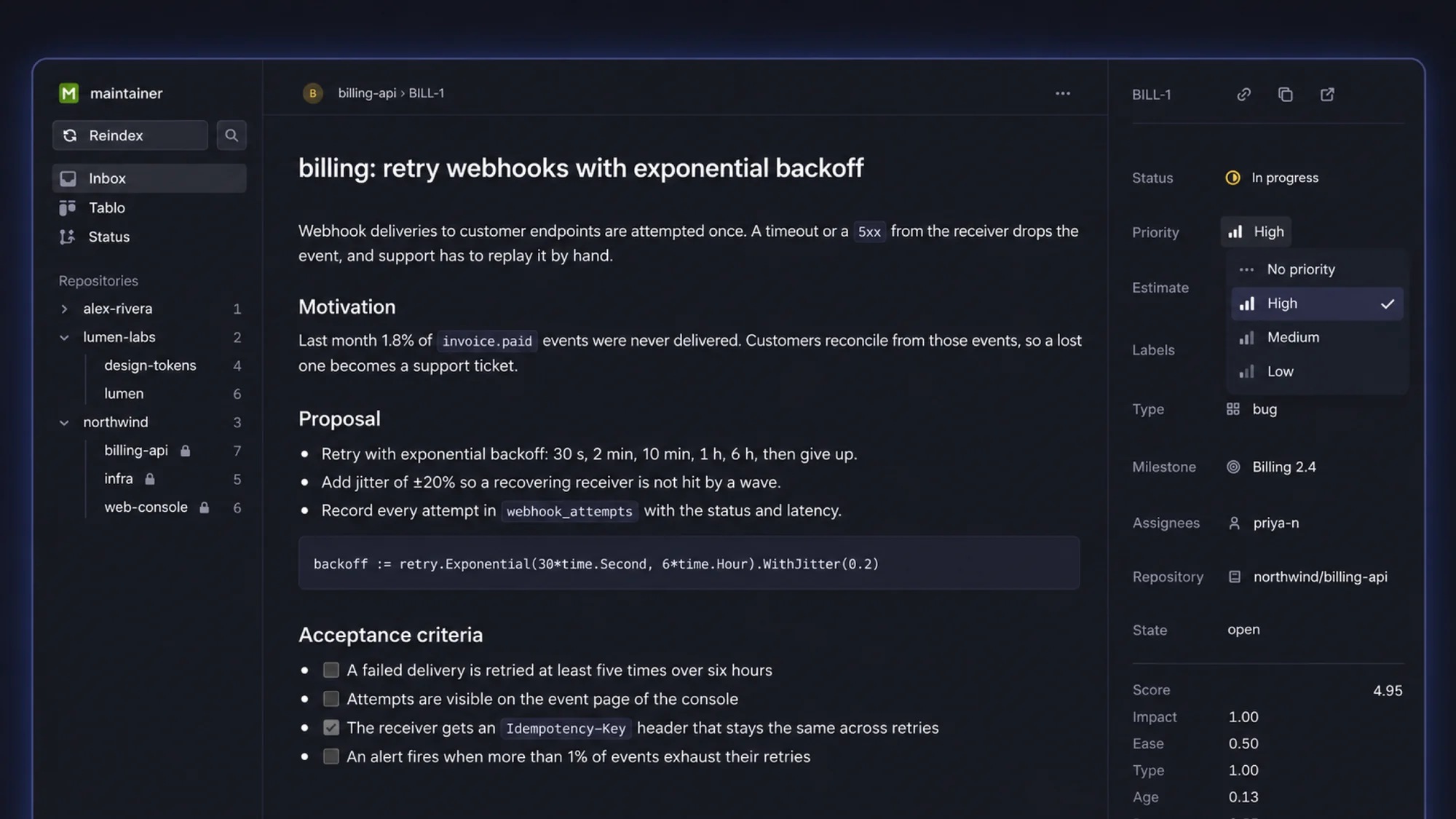
In the inbox, View, then Ordering, sorts the issues by a score, by
priority (the impact label), or by the updated or created date. The score is a weighted sum that a repository
weight multiplies:
score = repository weight × (impact × w_impact + ease × w_effort + type × w_type + age × w_age + due × w_due)Each input is between 0 and 1: impact: high is 1, medium 0.5, low
0.25; effort: easy is 1, medium 0.5, hard 0.25; a bug is 1, a feature
0.5; the age grows with the days since the issue was created and reaches 1
after the age horizon; the due term starts rising the due horizon before the
milestone’s due date and is 1 from the due date on. A missing label or date
counts as 0. The inbox shows the terms of every score next to the issue.
The weights, the horizons and the repository weights come from
service.toml; by default every weight is 1, the age
horizon is 365 days, the due horizon 30 days, and every repository weighs 1.
For example:
# [fetch]
# config = "~/.config/maintainer/fetch.toml"  # the fetch config to read; the usual lookup otherwise

[score]
impact = 2
effort = 1
type = 0.5
age = 1
due = 3
age_horizon_days = 180
due_horizon_days = 14

[[repos]]
match = { owner = "octomation", name = "maintainer" }
weight = 2

[[repos]]
match = { id = 672356038 }  # a repository id survives renames and transfers
weight = 0.5
A repository rule matches by id, or by owner and name together, without
regard to case; the first matching rule wins.
The config file
The service reads service.toml in $XDG_CONFIG_HOME/maintainer, else
~/.config/maintainer. When there is none, the first start writes it there,
says so, and never changes it again: every key is commented out with its
default, so the file shows where the service listens and what you can change.
maintainer service: wrote the default config /Users/you/.config/maintainer/service.tomlUncomment a key to change it, then restart the service. --config names
another file, which must exist and is never created. The file is strict: an
unknown key or a bad value is an error, and the service does not start. A
relative path in it is resolved against your home directory.
What it answers
| Request | Response |
|---|---|
GET or HEAD of / | 302 to /status |
GET or HEAD of /status, /inbox, /tablo | 200, the application as text/html, never cached (Cache-Control: no-store) |
GET of /assets/… | the application’s script and styles, cached for a year |
GET of /api/v0/… | the JSON the pages read: checkouts, tasks, tasks/{id}, catalog |
PATCH of /api/v0/tasks/{id}/triage, POST of …/refresh | a change or a refresh, only from the pages themselves |
| any other path | 404 Not Found |
| any other method | 405 Method Not Allowed with Allow |
The service shows the contents of your issue files, so it answers only
requests addressed to itself: a request whose Host is not
maintainer.localhost, localhost or the address it listens on gets 421,
and a change or a refresh is accepted only from a page the service served,
never from another site open in your browser. Every program running as your
user on this computer can still read the pages.
Limitations
- The pages work on the mirror files; nothing is read from or written to GitHub.
- The index is rebuilt on start and on Reindex; a file you edit by hand shows up after the next reindex.
- The board has one fixed set of columns; the boards of your projects are read for the column of an issue, not shown as they are.
- Linux has no service manager integration yet: run
maintainer service runyourself.